Read at your own pace.
Talk Over follows your speech locally on your Mac. Auto Scroll gives you an adjustable steady pace, and Manual puts each move in your hands. Switch modes whenever your delivery changes.
Voice-following teleprompter for Mac
TalkOver is the teleprompter app you've always wanted. It follows your voice as you speak, or lets you set the pace with Auto Scroll and Manual controls. Use it for talking-head videos, screen demos, and video calls.
Own Version 1 forever. No subscription. Your scripts and speech stay on your Mac, not in the cloud.
$39.99 $24.99 Launch Sale · Limited time only · Secure checkout via Payhip
Now available: TalkOver 1.1.4.50. Local remote controls, clearer stage directions, improved script preparation, and more control over Hover, recording, and backups.
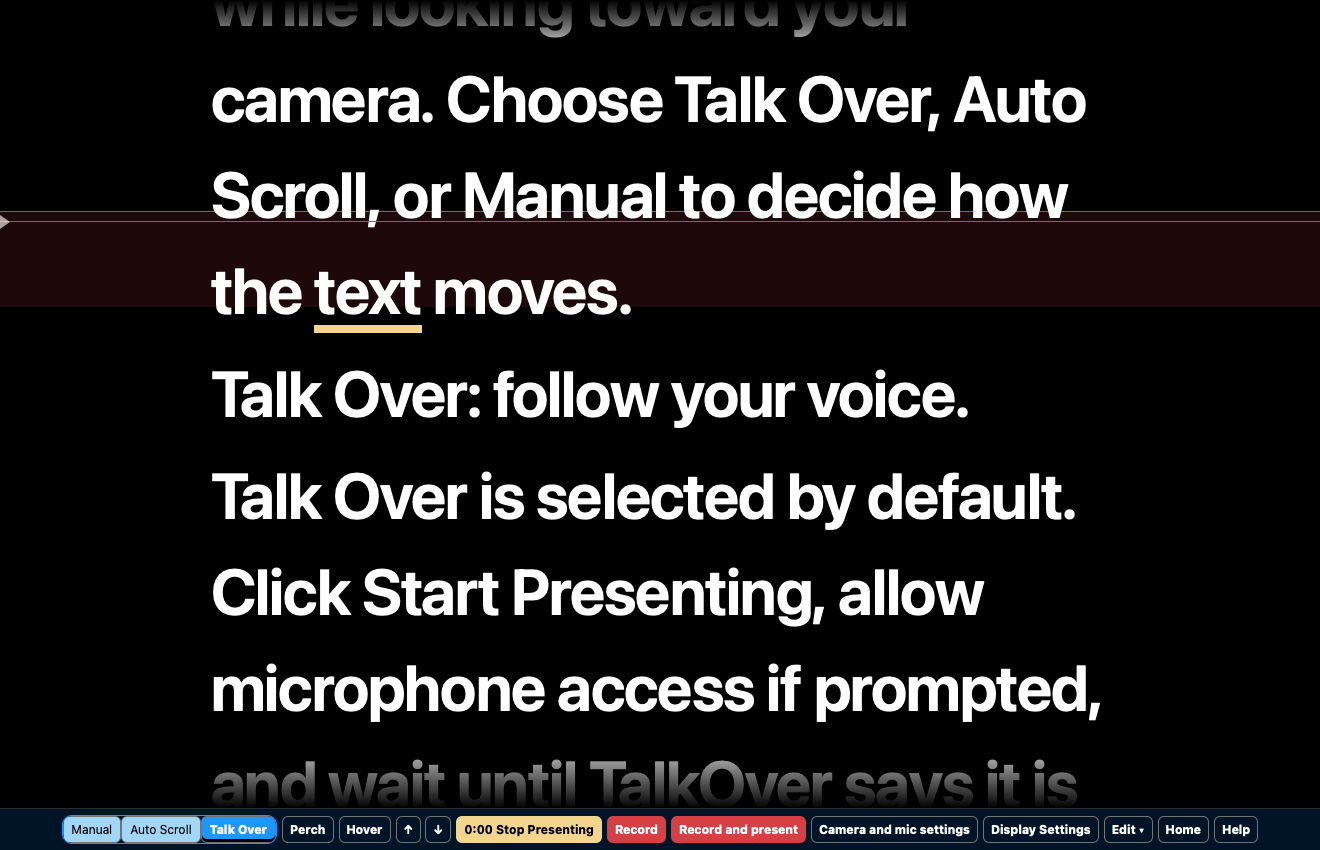
Talk Over follows your speech locally on your Mac. Auto Scroll gives you an adjustable steady pace, and Manual puts each move in your hands. Switch modes whenever your delivery changes.
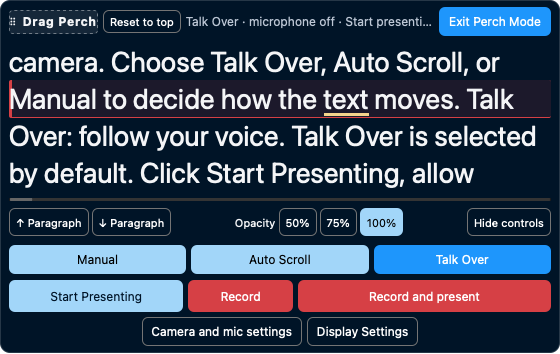
Put a compact presenter near your camera. Choose visible lines, position the active line, hide larger controls, and keep navigation and recording close at hand.
See your call or slides behind the prompt. Hover is a transparent, click-through overlay that keeps your script near the camera while your meeting or demo stays usable beneath it.
Record video and audio inside TalkOver in any presentation mode. Presenting and recording have separate controls, and your script stays out of the finished video.
Meet Perch
Your voice. Your pace. Your presentation. TalkOver keeps the words close so you can focus on the people listening.
About Us
I've always had a love-hate relationship with teleprompters. Having used them mostly for YouTube videos, I've never had someone scroll them for me while I talk.
Most teleprompter software scrolls by itself, and is somehow always too fast or too slow, or needs to be scrolled manually.
More recently, there have been some online tools that listen to your voice and scroll through the text for you. But those have monthly subscriptions, and they send your data to the cloud.
I built TalkOver to get rid of the hassle of a subscription and the data concerns about having a cloud-based tool listening to you talk.
I’m David Schloss, and I built TalkOver to get rid of the hassle of a subscription and the data concerns of cloud-based tools that listen while you talk.
Own Version 1 forever. Every 1.x update is included; Version 2 will be a separate paid upgrade, with a discount for Version 1 customers.
No subscription. Scripts, speech recognition and recordings stay on your Mac. Downloads, license activation and optional update checks use the internet.
Get TalkOver
Download the complete app and use it with your own scripts.
Download trial →One purchase covers two Macs. Own Version 1 forever, with every 1.x update included.
Buy securely via Payhip →Good to know: Apple Silicon M1+ and macOS 11+ are required. The 30-day trial has every feature. A Full license covers two Macs, has no subscription, and Version 2 will be a paid upgrade with a Version 1 customer discount. Read the FAQ.